CI/CD
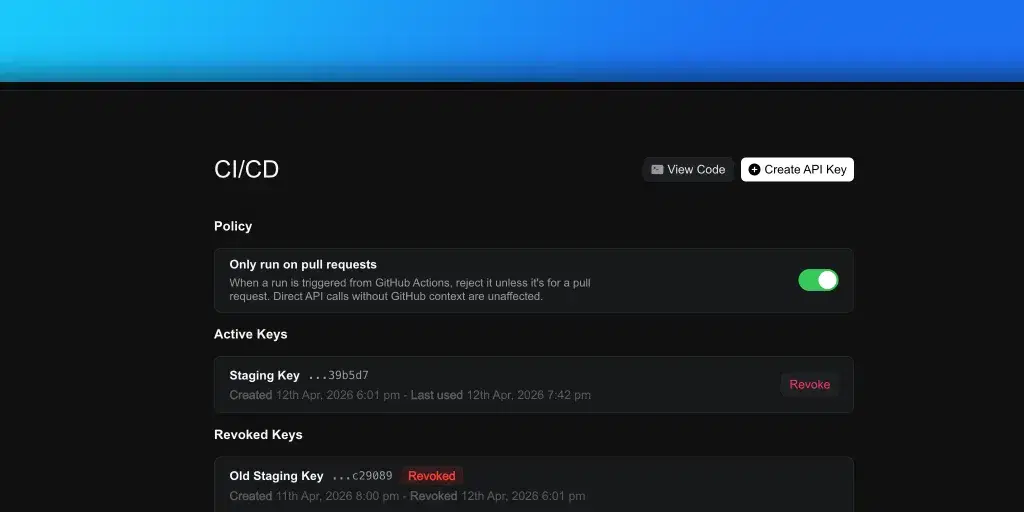
Trigger Doksi test runs from your CI/CD pipeline. Configure API keys and policies from Settings > Integrations > CI/CD.
Run Doksi tests from any CI/CD pipeline. This page covers dashboard setup. For endpoint definitions, request and response schemas, and code examples, see the API reference.
Setup
- Open Settings > Integrations > CI/CD.
- Click Create API Key and give it a name.
- Copy the key immediately. It's only shown once.
API keys have the format dk_live_<40-hex> and authenticate all requests to
the CI/CD API.
Managing API keys
From the CI/CD settings page:
- Create issues a new key. Name it for the pipeline or environment that will use it.
- Revoke disables a key immediately. Revoked keys remain listed in the history for reference.
Rotate keys when a pipeline is retired, a team member leaves, or a key may have been exposed.
Policies
Only run on pull requests
When enabled, runs triggered from GitHub Actions are accepted only if the payload identifies a pull request. Runs triggered from ad-hoc scripts are unaffected.
Use this to prevent accidental consumption of the subscription allowance from push events on branches that aren't under review.
Calling the API
API keys are used with Authorization: Bearer <api_key> against
https://api.doksi.ai/external/integration/cicd/.
The full API reference documents every endpoint, field, and error response: