Billing & Usage
View your usage for Verify and Device MCP, manage your subscription, and top up Device MCP credits.
Open Settings > Billing & Usage to view your usage and manage your subscription.
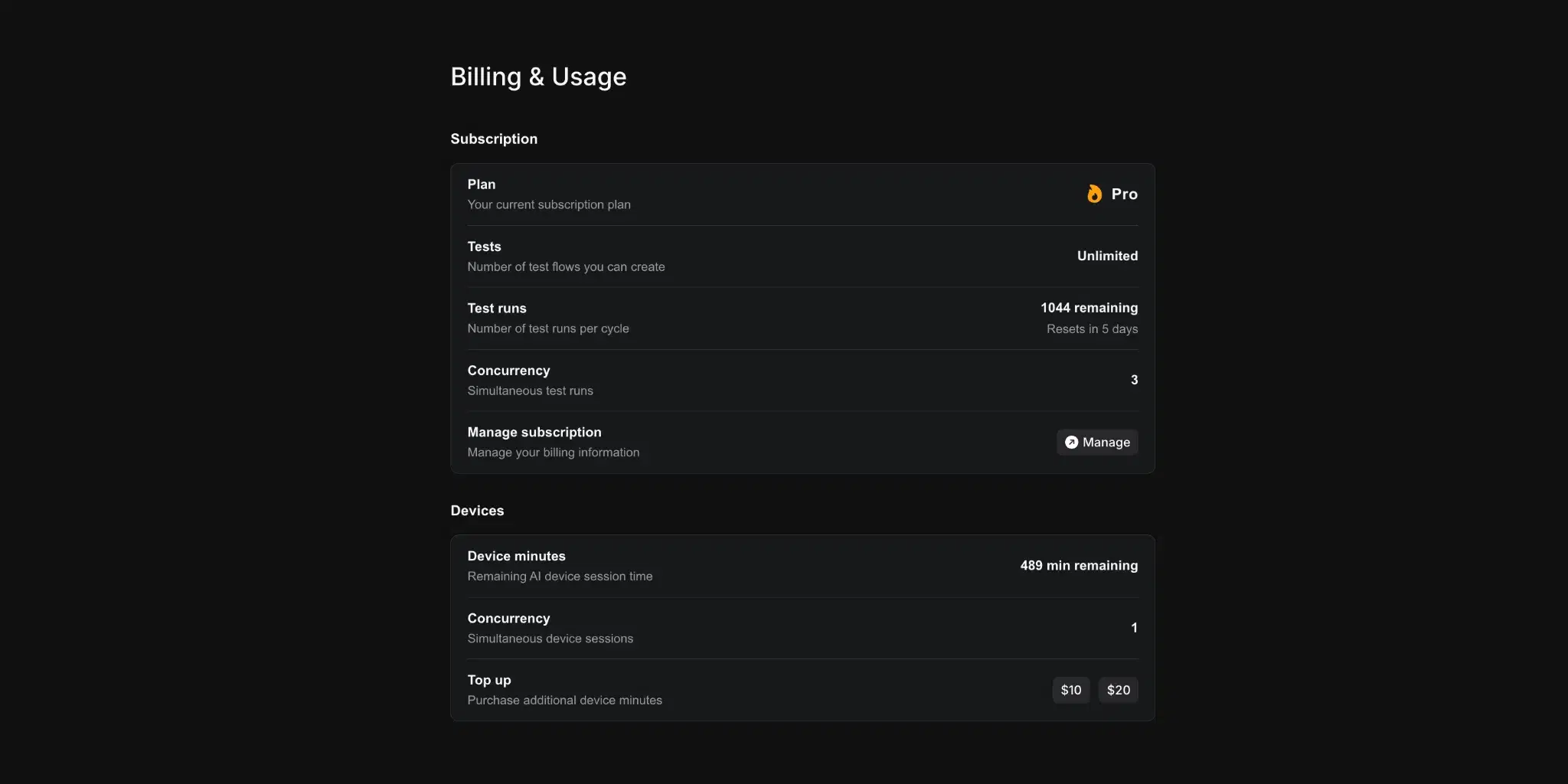
Usage
Usage counters reset at the start of each billing cycle. A Resets in X days label shows when the current cycle ends.
Verify
Tracks tests and runs against your plan's limits.
- Tests. Number of tests created.
- Test runs. Number of test executions.
- Concurrency. Maximum simultaneous runs allowed.
Device MCP
Tracks consumption of Device MCP credits.
- Minutes remaining. Device minutes left on your account.
- Concurrency. Maximum simultaneous devices.
Managing your subscription
Click Manage to open the Stripe billing portal, where you can update your payment method, view invoices, and cancel or change your plan. If your subscription has been cancelled, a Reactivate button appears in its place.
Topping up Device MCP credits
Device MCP runs on prepaid minutes, separate from your Verify subscription. Click one of the top-up buttons to purchase additional minutes. You're redirected to Stripe checkout, and credits are added to your account immediately after payment.